
Online PM Courses & VoovoThree coursesProject management study app

Master project
management

My project management videos as courses in the Voovo app: lessons, practice questions and a study plan to your exam date. For the basics, for the PMP® exam and for the Scrum Guide.

Go beyond the videos

More than the videos

My videos explain each idea. In the app you practise it with questions, see what you still don't know, and follow a plan up to your exam date.

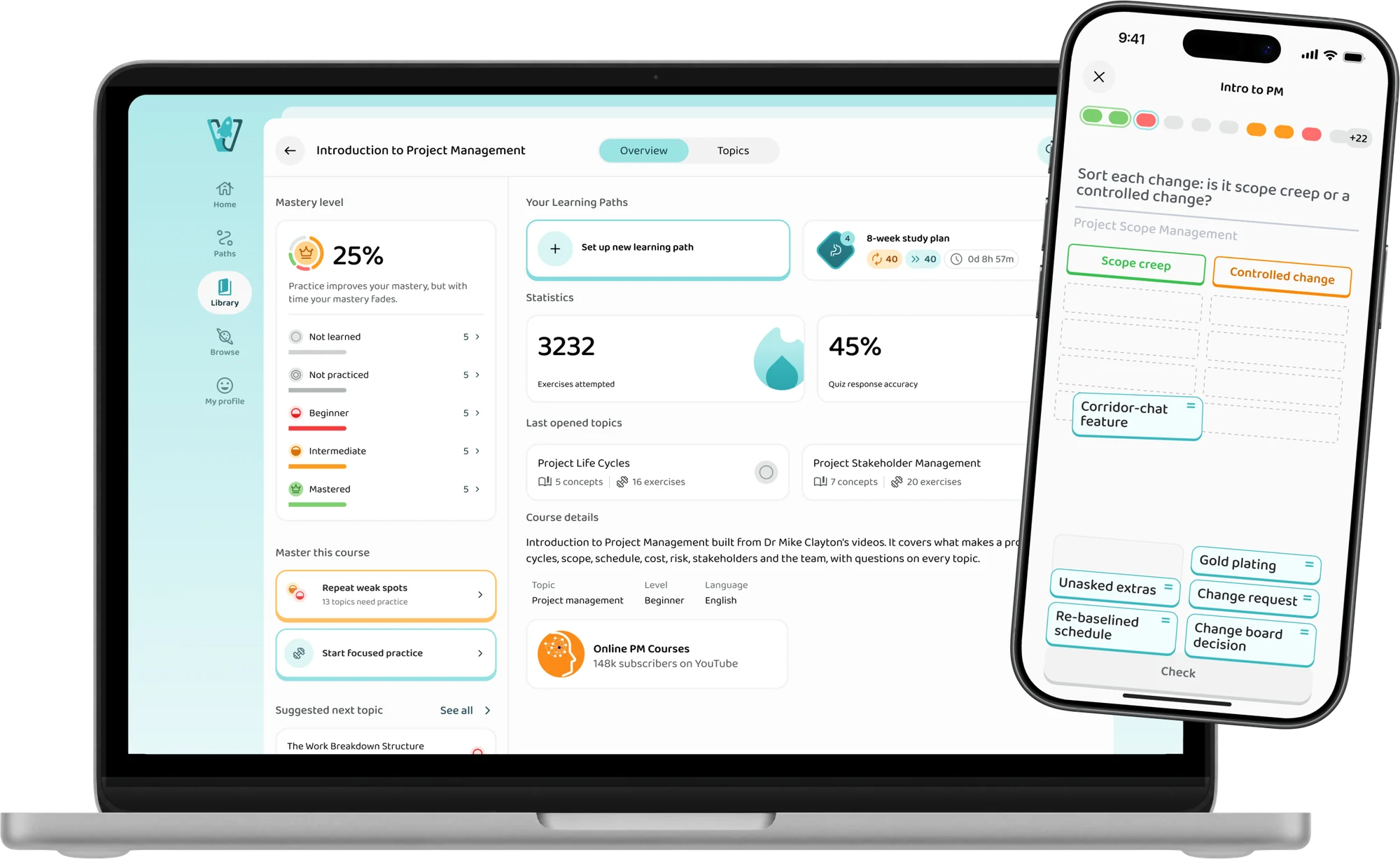
The Introduction to Project Management course overview on a laptop and a sorting exercise on a phone
  • On your phone and laptop

    Practise on your phone between meetings, review on your laptop in the evening. Your progress is the same on both.

  • In your course's order

    The basics in the order I teach them, PMI's 26 tasks for the PMP®, and the Scrum Guide section by section.

  • Questions on every topic

    Every topic has its own questions, and each answer comes with an explanation.

  • See where you stand

    Each topic shows what you know and what still needs work, so you know where to spend your time.

How it works

How the courses work

Every topic runs the same way: watch it explained, answer questions on it, review it before you forget, and ask when you're stuck.

01Watch

Learn it from my videos

Start with my videos and explanations in the app. Intro to PM is built from my videos in the order I teach them, and the PMP® course from my videos matched to PMI's 2026 outline. The Scrum Guide course follows the 2020 Guide itself, section by section.

  • My videos
  • Topic by topic
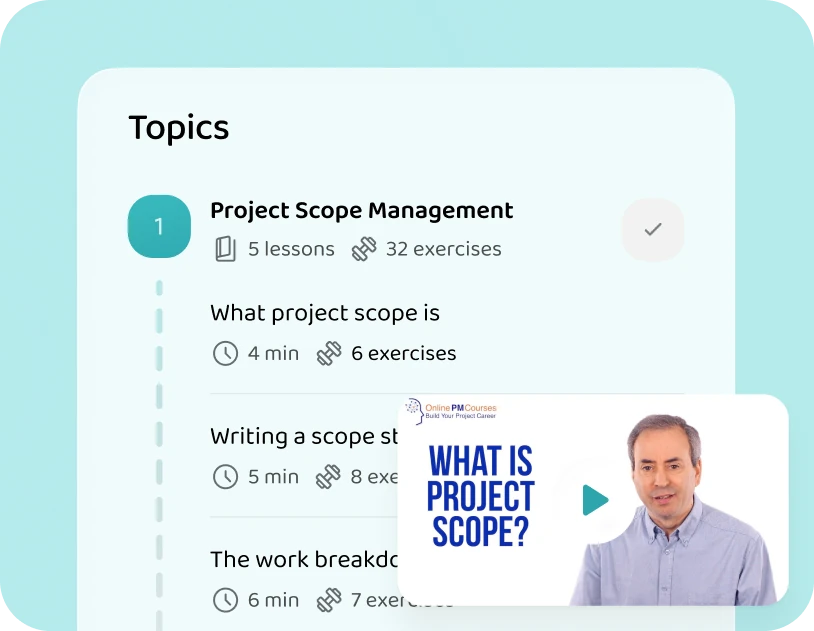
The Project Scope Management topic in the app, with its lessons and my video on project scope
02Practise

Answer questions on it

Multiple choice, fill in the blank, ordering, matching and sorting, and every answer is explained. You find out what you can answer, not only what looks familiar.

  • Questions on every topic
  • Answers explained
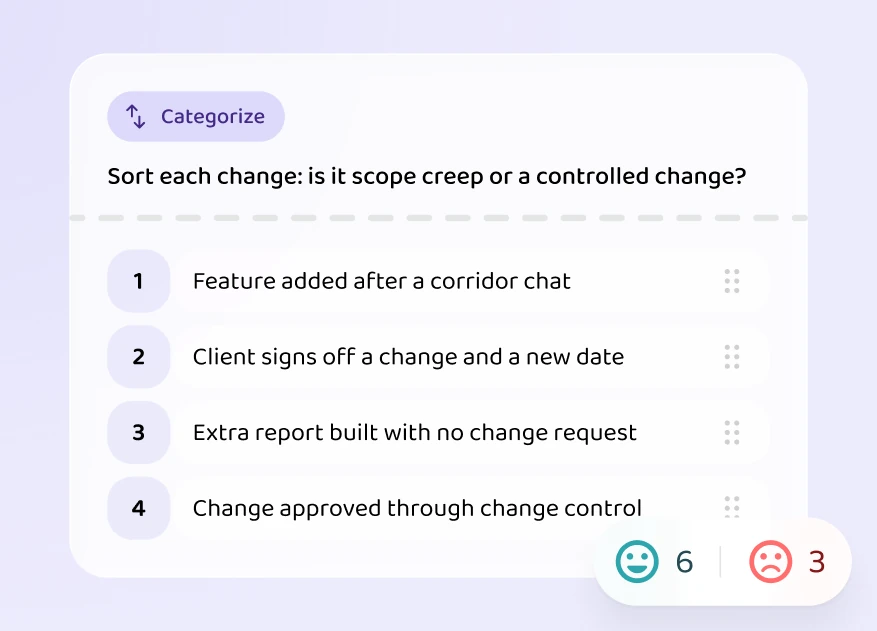
A sorting exercise: scope creep or a controlled change
03Repeat

Review before you forget

What you get wrong comes up again within a few days. What you know comes up later, so the first topics are still fresh on the day of your exam.

  • Spaced out
  • See where you stand
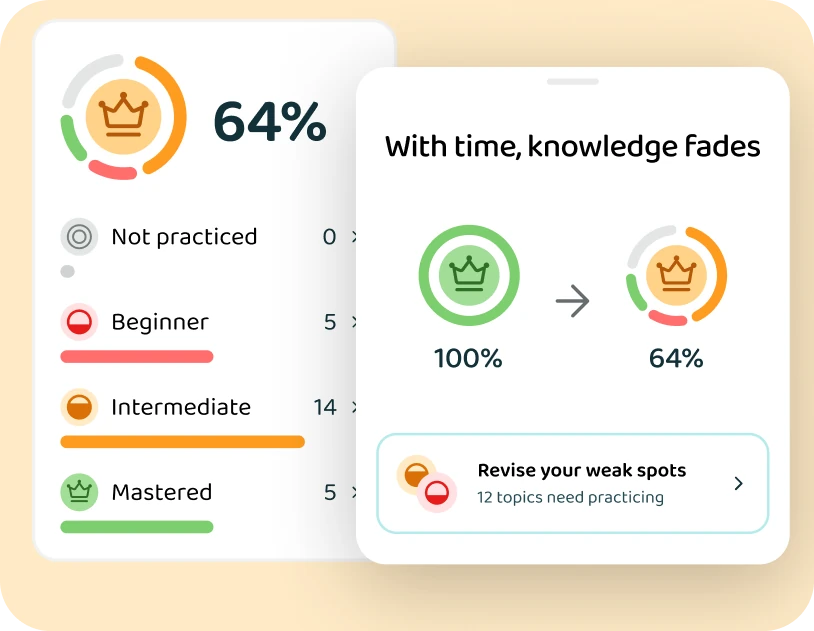
Mastery levels and the topics that need practice
04Ask

Ask when you're stuck

Get a question wrong and ask why. Brain, the app's AI tutor, answers from the course material.

  • Ask anything
  • Answers from the course
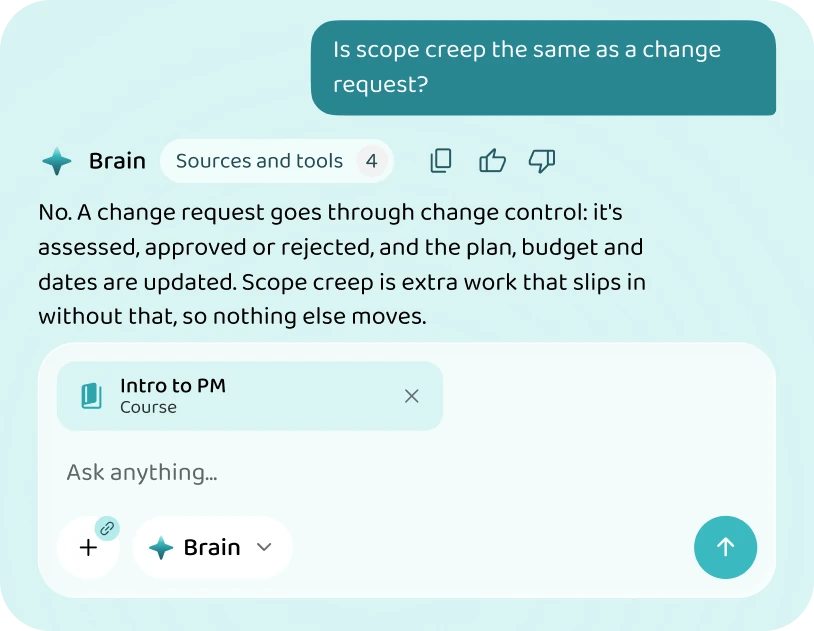
Brain explaining the difference between scope creep and a change request
Your course

Which course are you taking?

Pick your course to see what's in it. Sign up now and you get 10% off the day it opens.

Sign up for 10% off

Built for Introduction to Project Management

From my videos, in the order I teach them: the foundations first, then define, plan, deliver and close

FoundationsAll 4 topics in the course
  • What a project is, and its life cycle
  • The project manager and the team
  • Stakeholders and communication
  • Agile, Scrum and Kanban
Define, plan, deliver, closeAll 7 topics in the course
  • Charter, scope and requirements
  • Schedules and the critical path
  • Resources, budgets and cost control
  • Earned value and progress reporting
  • Risk management
  • Quality and procurement
  • Closure and lessons learned
Topics
11
Subtopics
52
Lessons
190
Exercises
Being written
  • Practice questions on every topic
  • Targeted practice on the weak spots
  • A personalised study plan around your module or project dates
Planning

Learn with a personalised study plan

Put in your exam date, and the app plans every week up to it.

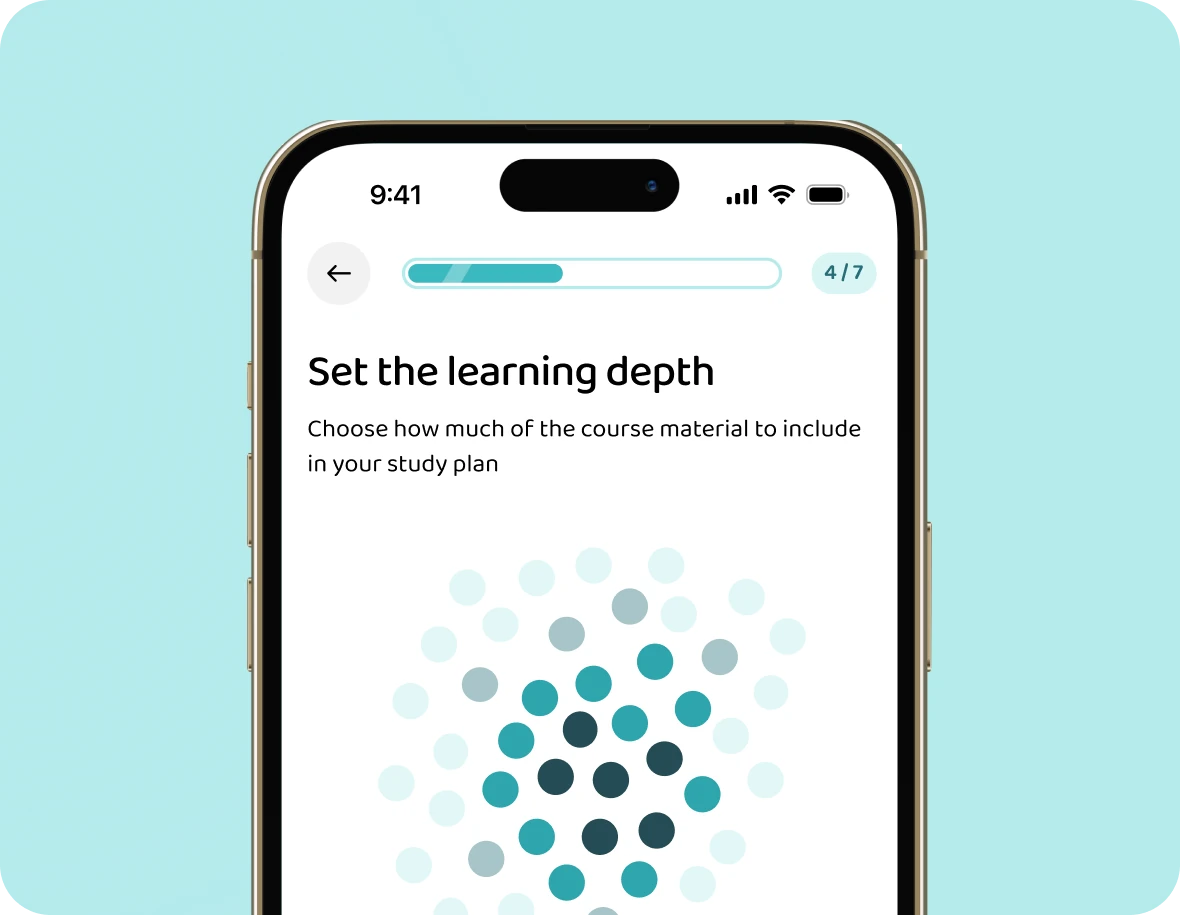
  • Choosing how much of the course to include
    1

    Choose the depth

    Everything in the course, or the essentials first. You decide how much goes into the plan.

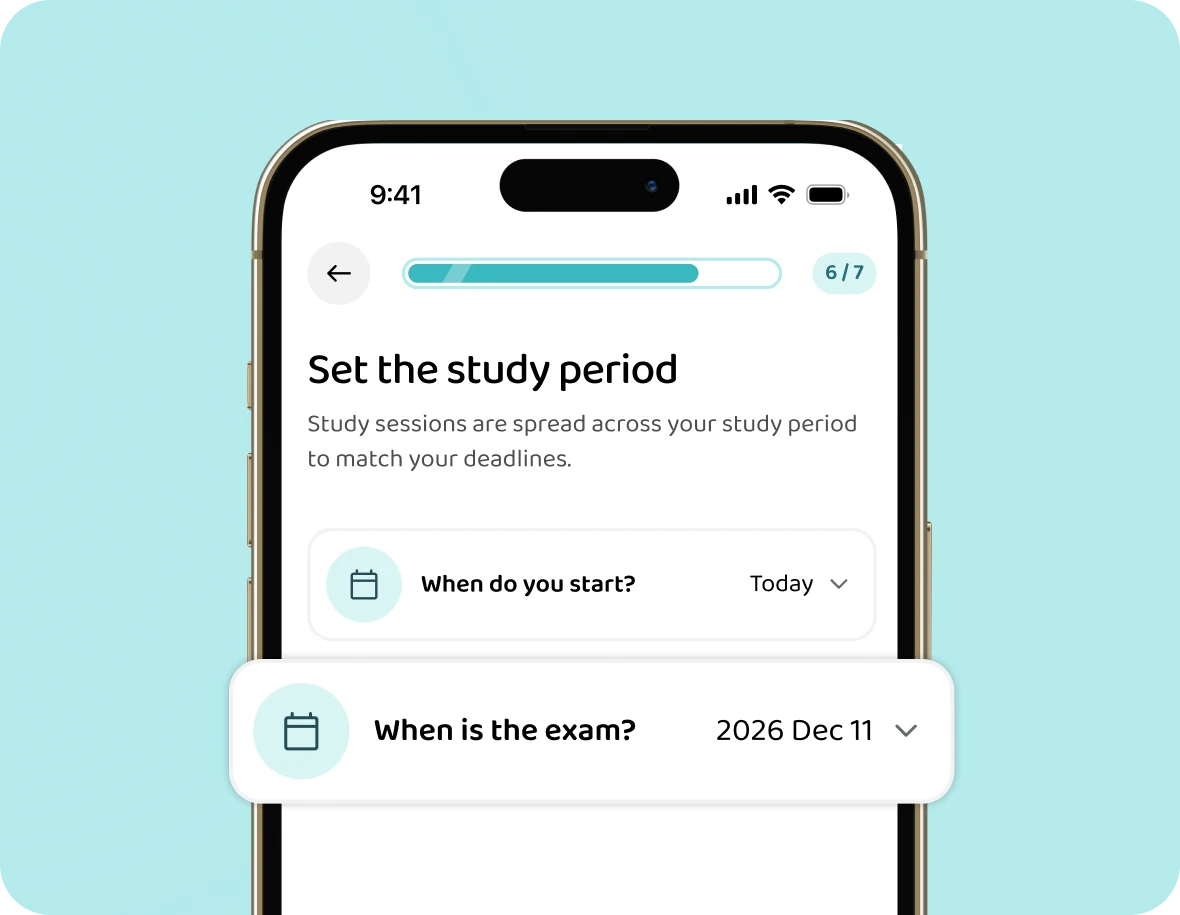
  • Setting an exam date, 11 December 2026, in the study planner
    2

    Set the date

    The day you sit the PMP® or PSM I, or the date of your module's exam.

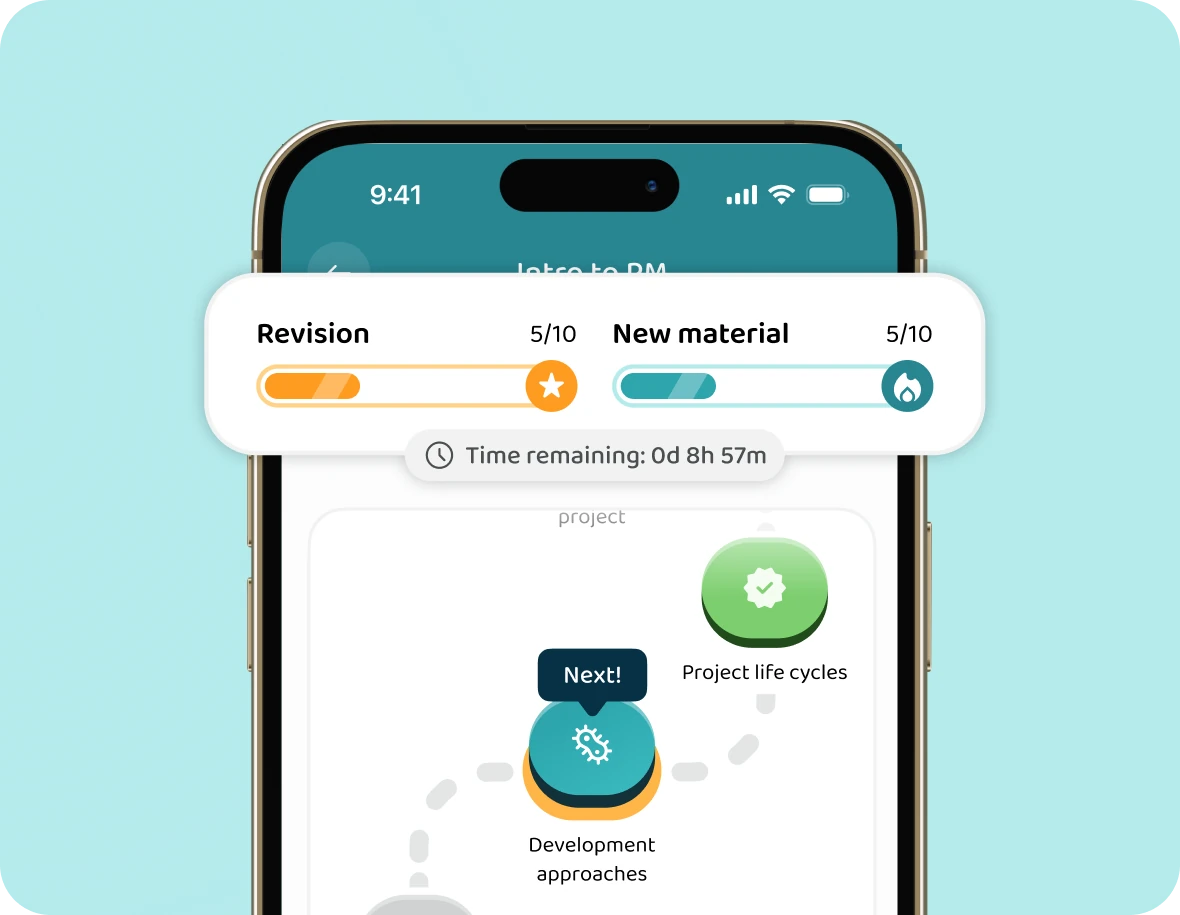
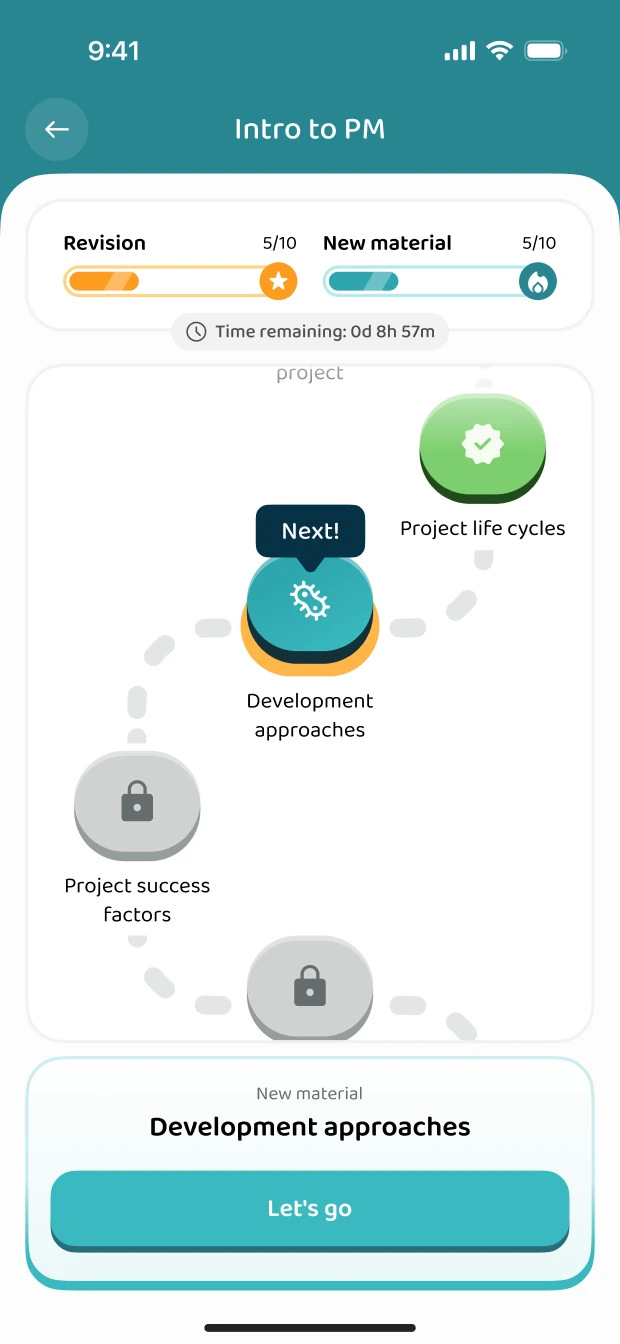
  • The plan on the Introduction to Project Management learning path
    3

    Follow the plan

    Each day mixes new lessons with the topics you're about to forget, so you never have to decide what to do next.

About me

One idea at a time, in plain words

When I was starting my career, I wanted to get an opportunity to manage my first project. But my boss told me I couldn't do that until I had some training. But being a small company, there was no training on offer.

I wrote around half of the sections of the APM Body of Knowledge, 8th edition. I've explained project management on YouTube since 2016, and a new video goes up every Thursday.

These courses take what I explain in my videos and add the practice: you answer questions on every topic and follow a study plan up to your exam.

  • Led client projects from Deloitte's London office
  • 14 books, four of them on project management
  • 148K subscribers on YouTube
Dr Mike Clayton, Online PM Courses
Dr Mike ClaytonCreator of Online PM Courses
FAQ

Questions, answered

Which course is mine?

Introduction to Project Management if you're new to it, on a university module or your first project. PMP® exam prep if you lead projects and are preparing for PMI's exam. The Scrum Guide if you work in Scrum or are preparing for PSM I.

Is this the same as your YouTube videos?

Everything I explain in my videos is in the courses. On top of that you get questions on every topic, in your course's order, and a plan to your exam date.

Who writes the questions?

Voovo's team writes them from my videos, PMI's 2026 outline and the 2020 Scrum Guide. Experts review the questions before they go into a course. I've been working with Voovo on all three courses.

Do the courses give PDUs or contact hours?

No. They don't count as contact hours or PDUs, and they aren't from PMI or Scrum.org. They're for practising and keeping what you learn.

When do the courses open, and what do they cost?

You'll get an email the day your course opens, with your 10% off. The price is set when it opens.

Can I use it on my laptop?

Yes. The app runs on your phone and on the web, with the same progress on both.

Intro to PM, PMP® and the Scrum Guide

Sign up for 10% off

Leave your email and you'll hear the day your course opens, with 10% off.